Generate locally.
Open the generator on a trusted device and create a fresh wallet. The browser uses secure random generation and the original NOID address derivation at address index 0.
Generate a new NOID address and Master Key on your device. Save a printable paper wallet and keep your backup offline.
Three steps: start, save or print, then clear the generator session. No registration and no automatic key storage.
Local generation · Printable PDF · Two QR codes
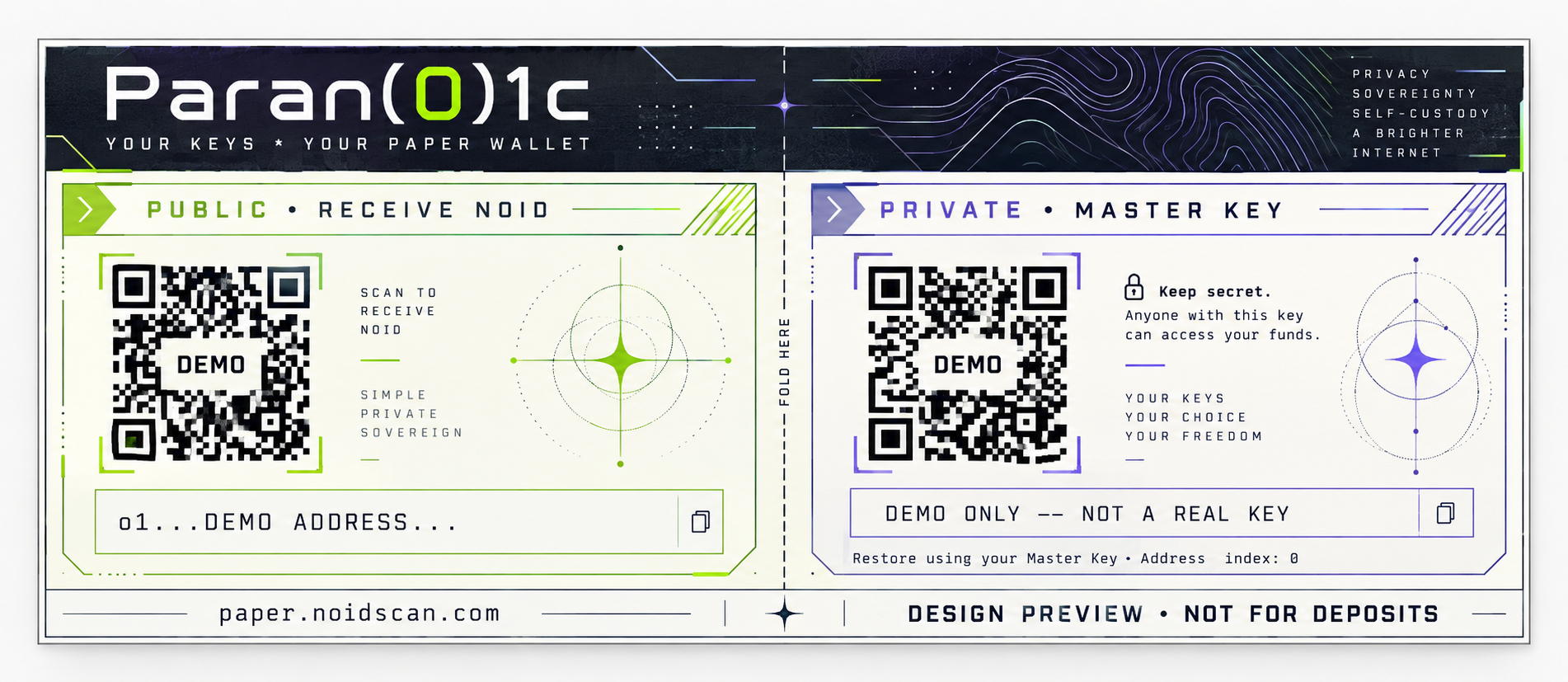 Design preview · demo data and QR codes
The generator does not automatically save your key. A readable PDF or printout is your backup.
Open the generator on a trusted device and create a fresh wallet. The browser uses secure random generation and the original NOID address derivation at address index 0.
Download the A4 landscape PDF or print the wallet. It includes the full receiving address and full 64-character Master Key, each with a QR code. Check your saved copy before proceeding.
Confirm that your backup is safe, then clear the preview. The generator ends its session and asks supported browsers to clear the dedicated site's cache and storage.
The green public section contains the address used to receive NOID. You can share that address with someone who wants to pay you.
The purple private section contains the Master Key needed to restore access. Anyone who obtains it can access the funds. Keep both the text and its QR code secret.
Restore the full 64-character Master Key in a compatible NOID wallet. The printed receiving address is derived at index 0. The paper wallet itself does not send payments or track balances.
Keep printed and digital copies private. Use a trusted printer. Shared printers, cloud print services, downloaded PDFs and screenshots may retain copies of the private key.
No. Generation, address derivation, QR creation and PDF creation run locally. The generator does not write the key to browser storage or send it to a server. The key remains in memory while the preview is displayed.
Yes. First load the generator and wait for the wallet engine to report that it is ready. You can then disconnect and generate, download or print locally. Server-assisted cache clearing requires a connection; the local session can still be ended offline.
No. It removes the page preview and ends the generator session. It cannot erase saved files, screenshots, printer records or guarantee removal of every trace from browser memory.
Check that the full address and Master Key are readable, both QR codes scan correctly, and the Master Key restores the same address. Keep the private backup somewhere safe before receiving funds.
Check the address: paper.noidscan.com. Keep the private section secret.