Choose where to receive.
Add and switch addresses. View the available balance across your addresses and the balance of the selected sending address. Click your receiving address to copy it.
Manage NOID with a web wallet that generates and protects your keys on your device.
Create a wallet or restore your Master Key, choose a receiving address and send payments from your browser. Your private key stays with you.
No account registration · Local keys · Encrypted browser vault
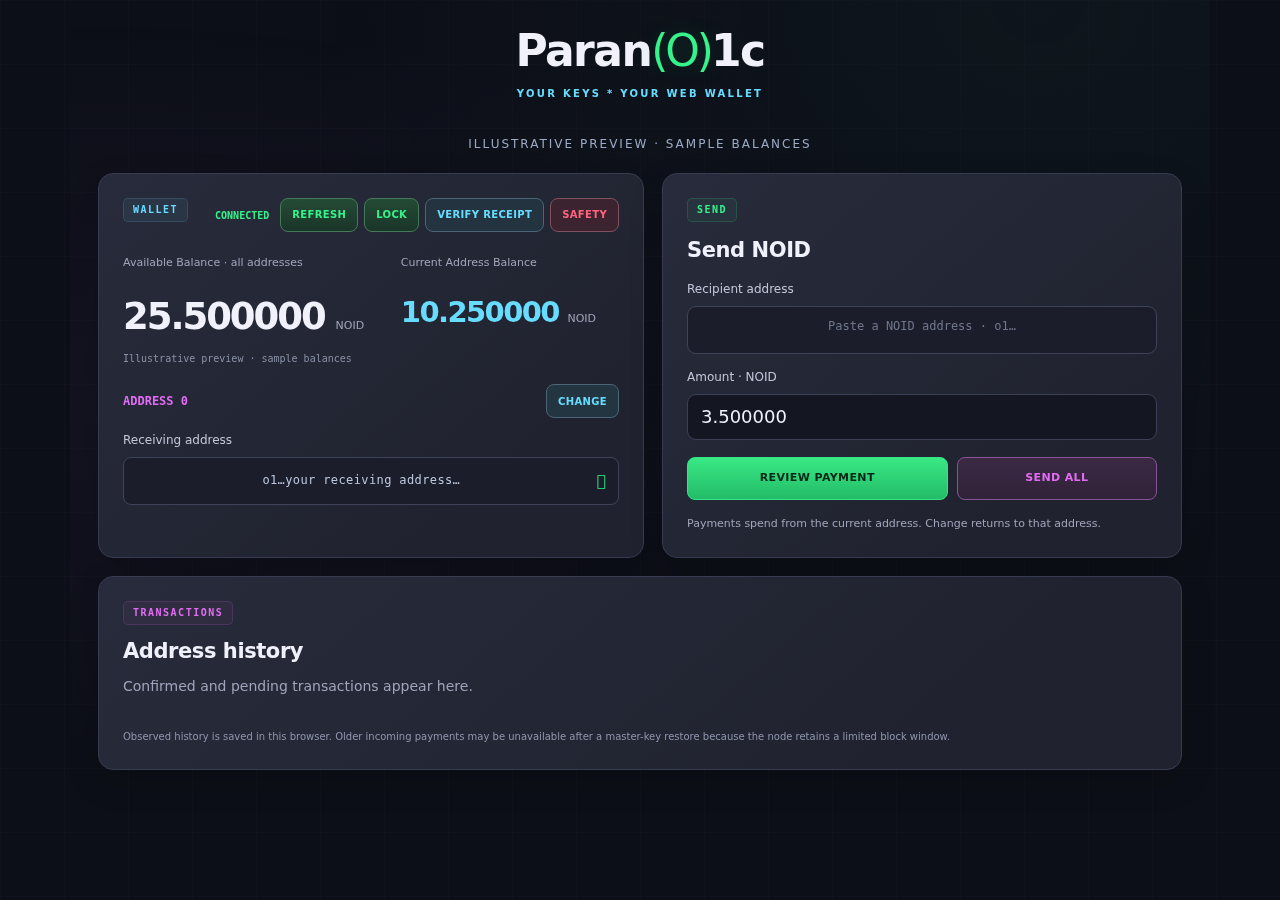 Web wallet preview · illustrative sample balances
See your balance and receiving address alongside Send NOID. On smaller screens, the layout stacks to keep the controls within reach.
Add and switch addresses. View the available balance across your addresses and the balance of the selected sending address. Click your receiving address to copy it.
Enter a recipient and amount, or use Send All. Review the amount, fee and change before the browser creates the authorization proof and submits the transaction.
Generate receipts for supported confirmed payments and verify Android-compatible receipts using the connected node. Transaction IDs link to the explorer.
Your browser generates the Master Key and encrypts it with your wallet password. The encrypted vault is stored in that browser.
The connected node supplies public blockchain data and accepts authorized transactions. Key derivation and payment authorization run locally; the Master Key is not sent to the server.
Open the web wallet, set a password and create a wallet, or restore an existing Master Key. Keep a separate backup before receiving funds.
Back up your Master Key. Browser data belongs to that browser profile and website. Clearing it, changing devices or losing your password may require a Master Key or usable encrypted backup to restore access.
No. The web wallet connects to a node for public network data and transaction submission. The Android wallet runs its own full node on the phone.
The encrypted vault stays in the same browser profile at the same website until it is deleted or browser data is cleared. Keep a separate backup; browser storage alone is not a permanent backup.
The wallet saves transactions it observes in this browser. The node retains a limited recent block window, so an incoming payment can be missed while the wallet is locked or offline, and older entries may not return after a Master Key restore. Your on-chain balance is separate from this local history.
Export it promptly after confirmation. Receipt generation can become unavailable once the transaction's block body has been pruned.
Check the address: wallet.noidscan.com. Keep your Master Key private.